
Automate your business processes
with no-code workflows
Today, digitalized processes are a significant competitive advantage and lead to considerable cost savings and improved workflows. With the SmartProcess workflow management software, you can flexibly configure workflows to digitize and automate your processes. SmartProcess is a simple and flexible workflow management system (WFMS) for workflow automation and control of processes, tasks, digital forms and approvals.
SmartProcess at a glance
Simple processing of processes, tasks, forms and approvals
Convenient modeling and configuration of workflows
Digital forms and input masks can be created individually
Configuration and editing directly in the web browser
Simple no-code design of workflows for process automation
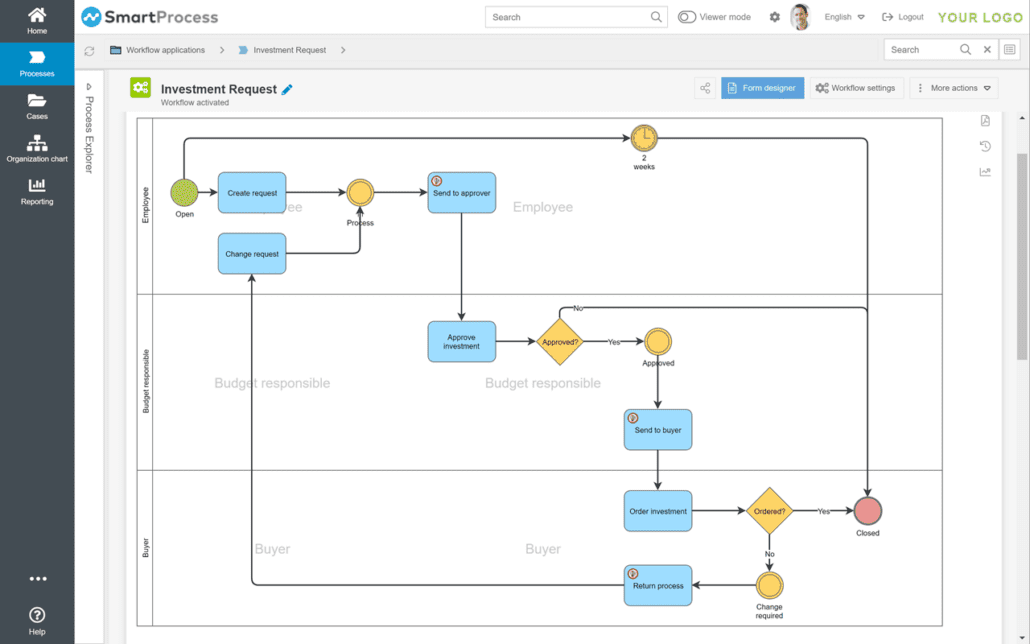
The integrated process designer enables workflows in the Workflow management software easy and user-defined to model. The workflow and the digital forms can be easily defined in the workflow management software as a no-code workflow, so that each company has its specific processes, forms and fields available for process automation.
Workflow templates are available for many business processes, which can be flexibly adapted and enable rapid implementation.
Flexible design of digital forms without programming
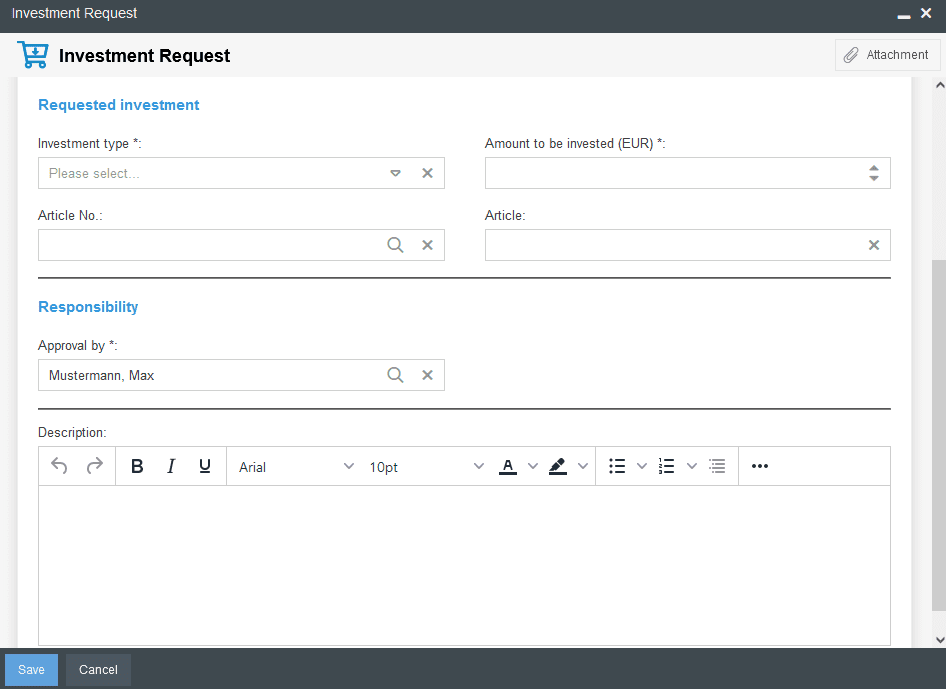
The integrated form designer combines outstanding functionality with a user-friendly interface in the workflow software to intuitively design forms without programming. With our drag and drop form designer, you can easily place and customize elements and fields for digital forms.
Task list with schedule overview
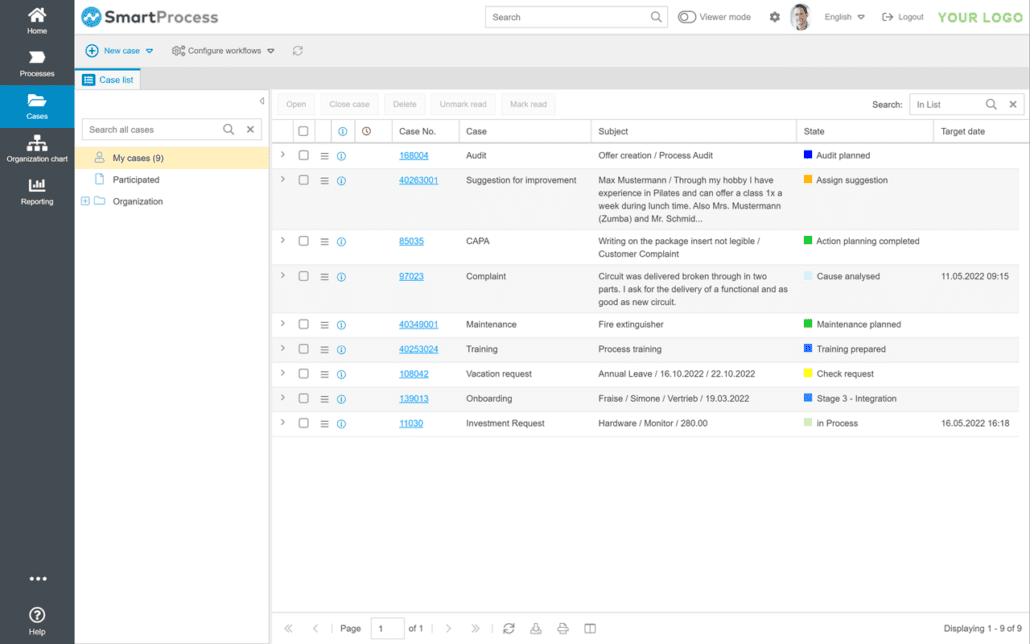
The clear task list of the workflow management software displays all processes and tasks transparently.
In addition to a message in the workflow management software, processors can also receive an e-mail message about new processes or tasks. Processors can open processes directly in SmartProcess or via a link from the e-mail in a web form.
Automated processing of processes and tasks
Processes can be created manually or automatically, e.g. by importing an email into the workflow management software.
The user is guided step by step through the processing of an operation. The processing instructions added to the individual processing steps provide support in completing the tasks.
SmartProcess supports workflow-bound tasks and the creation of ad-hoc tasks for workflow automation in workflow management.
Extensive evaluations in the workflow management software
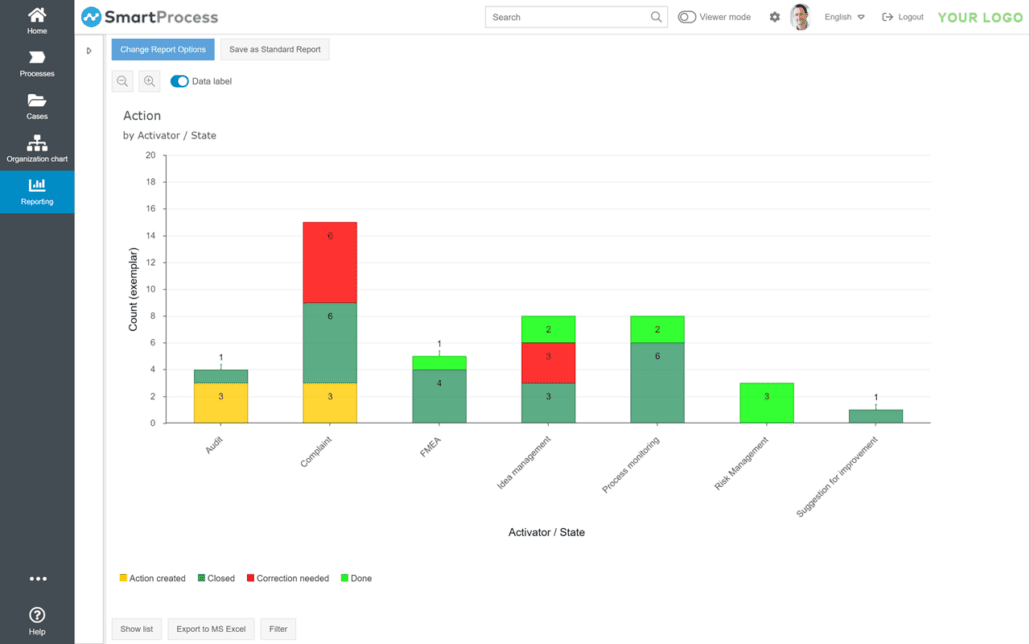
With SmartProcess, extensive evaluations can be generated individually and saved as standard reports. You can filter by each form field and by status. Standard reports can be sent by e-mail on a time-controlled basis so that processors have a regular overview of your results. You can also share the reports with other users. The reports can be exported from the workflow management software to MS Excel®.
Mobile Web App
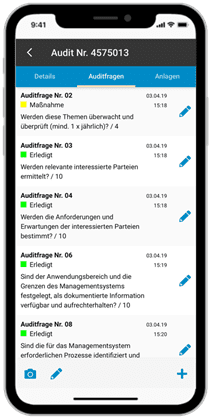
You can process processes, tasks and approvals flexibly with the mobile web app. The mobile web app offers you an optimal interface for smartphones and tablets for workflow automation. The SmartProcess workflow management software gives you flexible access to your business processes. You have convenient mobile and office access and are always well informed.
Get to know SmartProcess - free of charge and without obligation
Further information

Workflow management and digital forms with the SmartProcess workflow management software
SmartProcess supports you in improving your business processes. With the SmartProcess workflow management software, you can automate manual processes and the processing of digital forms in just a few steps. You can model and configure input masks in the workflow management software without any programming knowledge. Specialist users can therefore cover their requirements quickly and easily.
When introducing the SmartProcess workflow management software, the business process is modeled at the beginning. You can use existing sample workflows for this, which can be quickly adapted to cover your process. You can also freely define a workflow completely according to your requirements. In general, the workflow process and the digital forms are defined in the workflow management software.
The great advantage of the SmartProcess workflow management software is that the workflow guides the user through the process. For example, when the end user enters an approval request or a task, the next work step is always displayed to the user. This allows the user to intuitively follow the common thread when editing.
The automated control of processes in the workflow management software has many advantages. Throughput times are improved and employees are relieved. In particular, the central overview of all processes and tasks increases transparency within the company. The structured processing of processes, tasks and approvals increases productivity.
Modeling is carried out using the core symbols of the BPMN notation. You can model serial and parallel workflows. Particularly noteworthy is the fact that modeling is carried out directly in the web browser.